Tuesday, March 23, 2010
di
5:45 PM
Diposkan oleh
Natha Lia
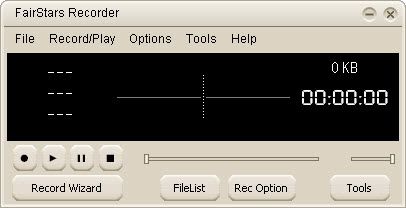
Software - FairStars Recorder v.3.33FairStars Recorder is a real-time audio recorder, offering professional recording features with full support for WMA, MP3, OGG, APE and WAV formats. It allows you to record sound directly from your sound card, including from a microphone or a line-in jack at high quality. It can be used to grab any sound, including music, dialogs from movies, game sounds, streaming audio or anything else. The captured sound can be saved directly to WMA, MP3, OGG, APE or WAV format, without the need for temporary files. In addition, the program includes a ID3 tag editor and recording schedule. Additionalfeatures include silent skip (Silence Detector), file size limits, recording wizard and more.
Main features:
- Record audio from sound card directly to WMA, MP3, OGG, APE or WAV format with high quality.
- Record sound directly from plackback device(only for Vista).
- Real-time sound monitor before recording, easy to select record device and adjust the volume(you may enable it on the Advance page of Record Option panel).
- Skip silent passages, stop recording or record to a new file automatically after a set time silence (Silent Detector).
- Stop recording or record to a new file automatically when reaching a set file length, size or time (File Limitation).
- Add files to File List automatially (File Append).
- Remove environmental noise automatically with the option Filters Setting.
- Support writing of ID3 tag when recording and showing when playback.
- Support ID3 tag view, import, edit, or transfer to the file in File List with TAG Editor and Tag Option.
- Recording Schedule for automatic recordings.
- Easy Set feature for silent sensitivity.
- Recording Wizard for beginner.
- Easy-to-use user-friendly interface, and skin support.
- Record control with hotkeys.
Download Link :


Monday, March 22, 2010
di
6:01 PM
Diposkan oleh
Natha Lia
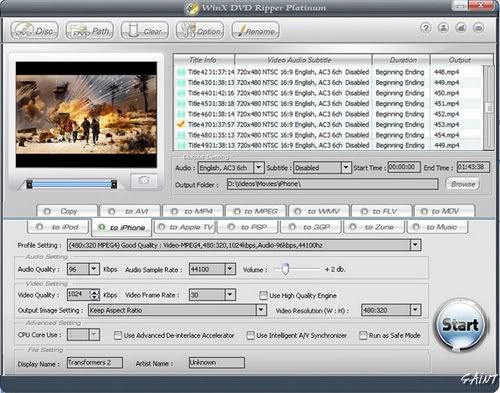
Software - WinX DVD Ripper Platinum v5.9.2WinX DVD Ripper Platinum can rip the content of DVDs to all popular video formats such as AVI, MOV, FLV, WMV, MPEG, MP4, 3GP, etc. What's more, it also owns the ability of ripping different DVDs (including encrypted DVDs) to Sony PSP, Apple iPhone, iPod, iPad, iTouch, Apple TV, Zune, Mobile phone, etc..
Key Features:
- 1:1 DVD Copy without Quality Loss: Decrypt & copy DVD to PC with 100% original video, audio and subtitles within only 5 minutes - new!
- If your original DVD's audio is out of sync with movie, the Intelligent A/V Synchronizer can help you solve the problem - new!
- To avoid any kind of problems during conversion process, we offer you safe mode which can skip the problems and finish the whole conversion process more smoothly - new!
- Enable to change interlaced scanning DVD movie to progressive scanning, make converted video with clearer image - new!
- Multi-core CPU supported, which makes your conversion process much faster - new!
- Batch rename all clips easily with "Renaming Template" before converting - new!
Download Link :
Mirror
Wednesday, March 17, 2010
di
6:01 PM
Diposkan oleh
Natha Lia
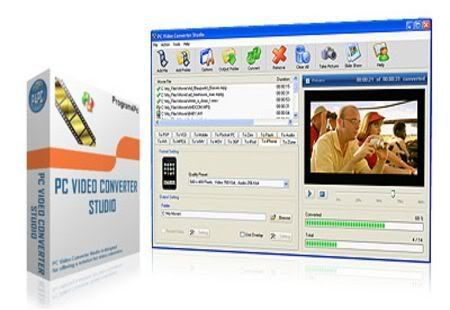
Software - PC Video Converter Studio 5.3PC Video Converter Studio is designed for converting video files between AVI, DivX, XviD, MPEG1, MPEG2, VCD, SVCD, DVD, WMV, ASF, MOV, RM, RMVB, 3GP, 3G2, FLV, MKV, iPod, iPhone, Zune, PSP, Mobile, Pocket PC, Zen, Flash video, M4V, and MP4 formats. You get a lot of control over the files you're converting, including the ability to change screen resolution, audio format, and frame rate. The program can easily perform batch conversions among the most popular codecs via drag-and-drop transfers into the main window.
Main Features:
- Support Batch convert
- Batch procedure has been implemented in PC Video Converter Studio to automatically perform operation on a large number of files. You can also automatically convert several different types of videos in just few minutes.
- Extract video's audio and convert to WAV, MP3, and WMA
- You can extract all video's audio from your favorite video clips, TV programs, music shows and save them to popular audio formats as WAV, MP3, and WMA without quality loss.
- Take picture from video and save into image
- Take picture of your favorite moments of video which may be nice for keeping as an image, saves your picture into variety of image fileformats as BMP, JPEG, GIF and many other image formats.
- Make video slide show from images
- With PC Video Converter Studio, you can create slide shows of your favorite images with your desire background music and share them with friends and family, or display them on your Web site.
- Export video onto a Web Page
- The Internet is another medium where you can share your movies but at reasonable file sizes, viewers can download your movies from the Internet. After you have created a movie that is suitable for posting to the Internet, PCVideo Converter Studio can assist with the task of coding the HTML document.
Download Link :
Mirror
Thursday, March 11, 2010
di
4:52 PM
Diposkan oleh
Natha Lia
Software - Xilisoft Video Converter Ultimate 5.1.37.0226 Xilisoft Video Converter is powerful, versatile video conversion software which converts between all popular video formats such as convert AVI to MPEG, WMV to AVI, WMV to MPEG or H.264/AVC video, convert AVI files to iPod formats, etc. No other programs like Xilisoft Video Converter supports so comprehensive video formats including AVI, MPEG, WMV, DivX, MP4, H.264/MPEG-4 AVC, RM, MOV, XviD, 3GP, FLV, VOB (the video format used in DVD), DAT (the video format used in VCD, SVCD), etc. In addition, the video converter provides an easy way to convert video file topopular audio file, like MP2, MP3, WMA, WAV, RA, M4A, AAC, AC3, OGG, etc. The video converter also supports APE, CUE decoding and audio CD ripping.
- Act as 3GP Video Converter, iPod Video Converter, PSP Video Converter, Zune Video Converter, AVI MPEG Converter, MP4 Video Converter, MOV Converter, MKV to MPEG converter, etc.;
- Convert between all popular video formats including AVI, MPEG, WMV, DivX, MP4, H.264/MPEG-4 AVC, RM, MOV, XviD, 3GP, FLV, help you on how to convert AVI to MPEG, convert MKV to AVI, convert MKV to MPEG;
- Convert videos to popular audio files, including MP2, MP3, WMA, WAV, RA, M4A, AAC, AC3, and OGG, and convert between these audio formats;
- Extract pictures from video and output them as JPG, PNG, GIF, BMP, SWF;
- Convert pictures to video formats like AVI, FLV, SWF, MOV, 3GP, WMV, etc.
Key Features:
- Powerful video effect editing functions to customize your video: crop video size, edit video effects, and add video watermark; (Ultimate only)
- Support the decoding and encoding of lossless audio; (Ultimate only)
- Preview and compare the source video and fixed video; (Ultimate only)
- Merge several video segments to one for conversion; (Ultimate and Platinum only)
- Clip segments from video and audio, and output them respectively or merge them into one for output; (Ultimate and Platinum only)
- Preview clipped video segment; (Ultimate and Platinum only)
- More optimized and classified profiles are supported now, and any profile can be customized to create your own one with your favorite settings;
- Customize the output file size and auto-calculate corresponding video bit rate;
- Multiple output formats can be set for one original to facilitate your conversion;
- Convert videos to compatible formats to work on PSP, PS3, iPod, iPhone, Apple TV, Zune, Archos, blackberry, iRiver PMP, Creative Zen, etc.;
- It supports H.264/AVC video format, PSP H.264/MPEG-4 AVC encoding/decoding, PSP H.264/AVC Video (480x272) (*.mp4);
- It provides batch conversion and multithreading, thus you can select multiple files at one time to have them convert one by one automatically;
- You can convert any clip or segment of the video at will by setting the start point and duration, and split one source file to several by duration or file size;
- video codec and audio codec can be modified: alternatively select video codec such as MPEG4, DVvideo, Mjpeg, etc. for AVI, H263, and MPEG4 for 3GP, as well as audio codec like PCM, MP2, MP3, MPEGAAC, AC3, etc.
- When converting files, you can pause, stop and continue at any moment;
- You can keep the default settings or set parameters of the video and audio by yourself to get particular effects for output file.
Download Link :
Mirror
di
4:47 PM
Diposkan oleh
Natha Lia
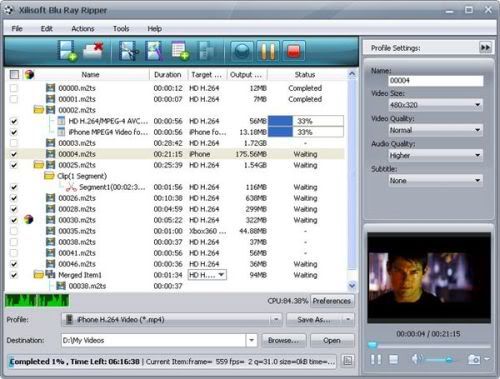
Software - Xilisoft Blu Ray Ripper 5.2.4.0226Wanna rip Blu-ray videos for sharing with friends or make duplicate copies for your video collection? With Xilisoft Blu Ray Ripper, now you can convert Blu-ray videos (M2TS format) to many high-definition (or HD) formats (H.264/MPEG-4 AVC, Apple TV h.264 720P, HD WMV, MPEG-2/MPEG-4 TS HD Video) with excellent quality and incredible ripping and converting speed while preserving HD quality.
Apart from converting Blu-ray to HD formats, Xilisoft Blu Ray Ripper can also convert them to popular format videos such as AVI, MPEG, WMV, DivX, MP4, H.264/AVC, RM, MOV, XviD, 3GP, and FLV. Now you can play almost any video file on most multimedia players including iPod, iPhone, Apple TV, PSP, Xbox, Zune, NDS, Wii, and even mobile phones.
Preview and clip Blu-ray movies, crop movie frames, adjust video properties, add watermarks are just some of the features that come withXilisoft Blu Ray Ripper. With this Blu-ray ripping software, so you're no longer limited to just Blu- ray discs and players.
- Rip Blu-ray discs in high speed while maintaining high video and audio quality
- Convert Blu-ray videos to HD or common video formats
- Extract audio from any Blu-ray disc
- Capture movie stills and save them as JPEG format files
- Edit Blu-ray videos by trimming, cropping, merging, adding video effects and much more
Download Link :
Mirror
Monday, March 8, 2010
di
4:58 PM
Diposkan oleh
Natha Lia
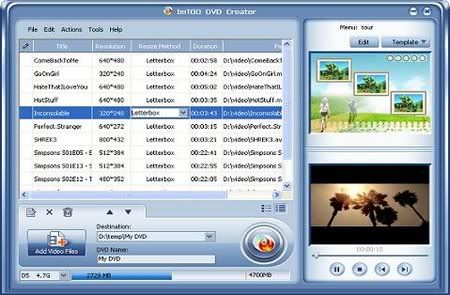
Software - ImTOO DVD Creator 6.0.5.0226ImTOO DVD Creator is powerful DVD burn software which can convert AVI, MPEG, DivX, MP4 and WMV to DVD movie and burn DVD movie perfectly. Compared with other DVD burn software, ImTOO DVD Creator is faster and easier to create DVD, burn DVD movie and ISO file.[cut]
Key Features
- Trim video file by setting the start and the end, get the desired segment converted to burn DVD movie.
- The DVD burn software allows you to specify NTSC or PAL format, adjust 4:3 or 16:9 video aspect.
- Support DVD5/ DVD9 - DVD creator supports DVD-R, DVD+R, DVD-RW, DVD+RW, DVD+R DL, DVD-R DL, DVD-RAM.
- ImTOO DVD Creator enables you to set video segment or one frame as the video miniature for the DVD menu.
- Able to preview video file, take a snapshot of the favorite movie images and save them as BMP format.
- Provide after-done actions to auto process after burning done, that is, shutdown, exit, hibernate and standby.
Download Link :
Mirror
Sunday, March 7, 2010
di
4:55 PM
Diposkan oleh
Natha Lia
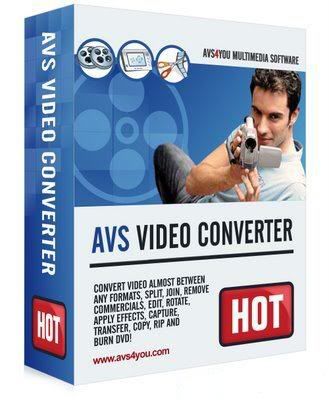
Software - AVS Video Converter 6.3.3.371AVS Video Converter - program with advanced capabilities, all in one, converter, burn VCD, SVCD, DVD, an advanced video editor. A key feature of it is: converter AVI, MPEG, WMV, DVD video to AVI, MPEG, WMV, RM formats, burning DVD, SVCD or VCD, package converting, editing, video overlay effects and filters, extracting audio from video and save in a separate audio file, extract a frame (frame) and save as image, splitting into segments and connect video, video rotation, adding to the form of text, banners, logos, selection and codec setting for conversion, support: AVI (DivX, XviD, MS MPEG4, Uncompressed , Cinepak), MPEG (MPEG-1 and MPEG-2 Video), VOB (Video DVD, PAL and NTSC), WMV (Windows Media Video), RM (Real Networks Video), MOV (Quick Time) and other formats.
Features:
- Conversion of the minimum time to support multi-threaded conversion to multi-core processors.
- Create a DVD-video: create DVD-video from all supported formats. Templates menu there. See the result on your home player DVD.
- Support for HD-video: HD-core supported formats: AVCHD, MPEG-2 HD, WMV HD, TOD, MOD, M2TS, M2T, MTS, HDV. You can edit, combine, cut pieces, add text and effects, and convert to DVD or any other supported video format.
- The video for mobile devices: iPod, iPhone, PSP, Zen, PS3 (HD support), XBox (HD support), Archos, telephones, DVD/MPEG-4 Player (with support DivX / Xvid).
- The video for the Website: Flash SWF, Real Video and WMV video
- Copying video discs
- Extract audio tracks from video, save individual frames as screenshots
- Edit quickly and precisely with the line of time, use more than 50 audio and video effects for movies.
- Support batch mode
Download Link :
Mirror
di
4:49 PM
Diposkan oleh
Natha Lia
Software - 4Media HD Video Converter 5.1.37.0120 MultilanguageActing as professional HD converter software, 4Media HD Video Converter supports decoding and encoding of all High-Definition video formats including HD AVI, H.264/AVC, MKV, AVCHD, HD MPEG4 TS, HD MPEG2 TS, HD WMV, HD Quick Time, etc. Also you can convert general video and audio formats for playback on various digital devices.
You can put the output videos on PS3, Xbox, Apple TV, as well as iPod, iPhone, Zune, Archos, iRiver PMP, Creative Zen, mobile phone, and other multimedia devices.
The easy-to-use HD video converter allows you to drag and drop, get snapshot when previewing, set several output profiles for the same source to convert HD video, and adjust various parameters like bit rate, frame rate, sample rate and so on.
Key Features
- More optimized formats prepared
Preset lots of ready-to-use video and audio formats for you to choose and classify them by device type (iPod, iPhone, Apple TV, PSP/PS3, Xbox, etc.) to ease your choice.
- Customize video, audio parameters
When finding the preset formats cannot fit your need, you can modify the video and audio parameters at will and save as a user defined format for future use.
- Get multiple formats from one
The comprehensive HD converter allows you to set multiple formats on a file at one time to get multiform target files from the same source.
- Split large files into several
Define split file size or time length to averagely divide target video into several ones.
- Pick up a segment to convert
Choose your favorite part in a video to convert by specifying start time and duration in advanced settings.
- Compress video size as you wish
With Bitrate Calculator built-in of 4Media HD Video Converter, you can specify the video size yourself to compress target video when you find it's too large.
- Multithreading, batch HD conversion
Start multiple video converting tasks at the same time in high speed with multithreading and batch process supported.
- Run in background, after done action
4Media HD Video Converter supports running in background and offers after done actions including exit program, hibernate, stand by, and shut down.
Check for updates automatically and prompt you to upgrade when new version is available to ensure you the latest functions.
- Optional language and skin
Selectable languages contain English, German, Chinese and Japanese; product skins include oxford blue, silver and grace blue.
Reference
- Output Device Support
- iPod, iPod nano, iPod classic, iPod shuffle, iPod touch
- iPhone, iPhone 3G, Apple TV
- PSP, PS3
- Xbox, Xbox 360
- General 3GP support mobile phone, BlackBerry, etc.
- General MP4 players: Archos, Creative Zen, iRiver, etc.
- Window Mobile device: Pocket PC, Dell Axim X51, HP iPaq hw6500 series, etc.
Input File Format Support
- Video AVI, MPEG, WMV, MP4, FLV, MKV, H.264/MPEG-4, DivX, XviD, MOV, RM, RMVB, M4V, VOB, ASF, 3GP, 3G2, SWF, H.261, H.264, DV, DIF, MJPG, MJPEG, DVR-MS, NUT, QT, YUV, DAT, MPV, NSV
- AVCHD Video (*.mts, *.m2ts), H.264/MPEG-4 AVC (*.mp4), MPEG2 HD Video (*.mpg; *.mpeg), MPEG-4 TS HD Video (*.ts), MPEG-2 TS HD Video (*.ts), Quick Time HD Video (*.mov), WMV HD Video (*.xwmv), Audio-Video Interleaved HD Video (*.avi)
- Audio MP3, WMA, AAC, WAV, CDA, OGG, FLAC, APE, CUE, M4A, RA, RAM, AC3, MP2, AIFF, AU, MPA, SUN AU Format
- Image BMP, GIF, JPEG, PNG
Output File Format Support
- Video AVI, MPEG, WMV, MP4, FLV, H.264/MPEG-4, DivX, XviD, MOV, RMVB, ASF, 3GP, 3G2, SWF, VOB, TS
- H.264/MPEG-4 AVC (*.mp4), MPEG2 HD Video (*.mpg; *.mpeg), MPEG-4 TS HD Video (*.ts), MPEG-2 TS HD Video (*.ts), Quick Time HD Video (*.mov), WMV HD Video (*.wmv), Audio-Video Interleaved HD Video (*.avi)
- Audio MP3, WMA, AAC, WAV, OGG, M4A, RA, AC3, MP2, AMR, SUN AU Format
- Image BMP, GIF, JPEG, PNG
Home page - http://www.mp4converter.net/hd-video-converter-win.html
Download Link :
Mirror
Thursday, February 25, 2010
di
6:24 PM
Diposkan oleh
Natha Lia
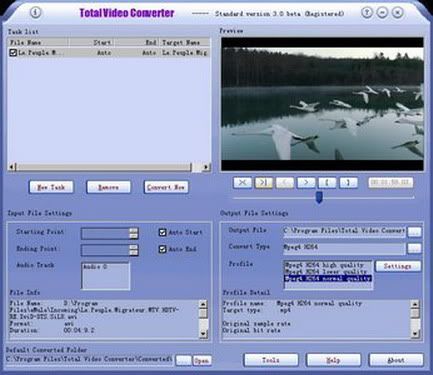
Software - EffectMatrix Total Video Converter HD 3.61E.M. Total Video Converter is a piece of extremely powerful and full-featured converter software that supports almost all video and audio formats. The software is designed to convert video for your mobile video player as 3gp, mp4, PSP, PS3, iPod, iPhone etc and also VCD or DVD player, XBOX360.
Main Features of Total Video Converter:
- Convert all kinds of videos to mobile videos or audios (mp4, 3gp, xvid, divx mpeg4 avi, amr audio) which are used by cell-phone, PDA, PSP, iPod, iPhone, Xbox360, PS3 etc.;
- Photos slide show combines multi-photos and musics with more than 300 photos fantasy transition effect;
- High compatibility and high efficiency for Importing RMVB or RM video/audio;
- Convert various videos to MPEG videos compatible with standard DVD/SVCD/VCD;
- Burn the converted videos to DVD/SVCD/VCD;
- Rip DVD to popular videos of all sorts;
- Extract audio from various of videos and convert which to all kinds of audios (mp3, ac3, ogg, wav, aac);
- RIP CD to audios of all sorts directly;
- Support using with command line;
- Combine several video and audio files to one video file;
- Demultiplex or extract video and audio;
- Multiplex video and audio to one file;
Download Link :
Mirror
Wednesday, February 24, 2010
di
4:51 PM
Diposkan oleh
Natha Lia
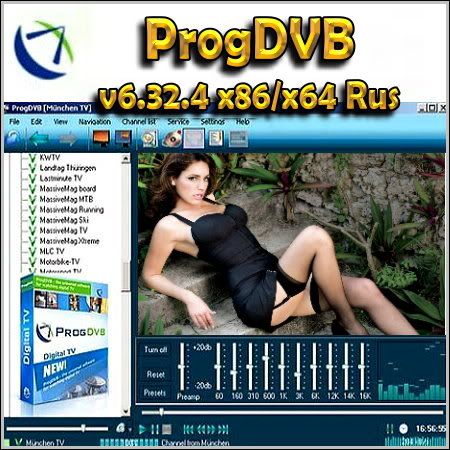
Software - ProgDVB v6.32.4 (x86/x64) RusProgDVB - this program is deservedly considered one of the best for viewing satellite television and listening to the radio. Supports huge amount of equipment for viewing satellite TV. To view internet TV needs access to the network at speeds of at least 256 kilobits, installation of additional equipment is required.
Supports one or several options work:
- Internet TV and Radio. About 4000 channels total
- DVB-S (Satellite TV), DVB-S2, DVB-C (cable TV), DVB-T, ATSC, ISDB-T
- IPTV
- Analog TV
- View File
Key features:
- Support for most DVB, ISDB-T and ATSC devices including DiSEqC and CAM functions
- Supports the function of delayed viewing
- Equalizer
- An entry in the file
- Schedule (EPG, XmlTV, JTV)
- Teletext
- Subtitles
- Broadcast channels to network
At the present moment ProgDVB works with DVB-S, DVB-S2, DVB-T and DVB-C the following manufacturers:
- Anysee (E30S Plus ,...)
- AverMedia DVB-S
- Azurewave (TwinHan) (VP-1027, VP-1034, VP-1041, ...).
- BroadLogic 2030/1030
- Compro VideoMate DVB-S
- Digital everywhere FireDTV / FloppyDTV
- DVBWorld USB2.0 DVB-S/DVBWorldDTV (PCI-Sat), Acorp TV878DS/DS110/DS120, Nextorm NBS240/NSC120
- GeniaTech products (Digistar DVB-S PCI, satbox, TVStar, Digistar2, Digiwave 103G ,...)
- Hauppauge
- Kworld DVB-S 100 compatible (Vstream, Dynavision .....)
- LifeView FlyDVB
- 10moons
- Netcast DVB
- NEWMI Advanced DVB
- Pinnacle
- Technotrend
- Tevii
- TBS Q-Box
- Technisat
- Telemann Skymedia 300 DVB (not official)
- Tongshi
- Terratec
- St @ rKey usb box
- Devices with BDA driver (possible issues with some cards)
- Also ProgDVB can work as a client for IPTV, or simply play the files.
Changes in ProgDVB 6.32.4:
- Delay for positioner before scanning. fixes OSD and xmltv import.
Year: 2010
OS: Windows All
Interface: Russian / Multi
License: Freeware
Size: 14.98 MB
Download Link :
Mirror
Wednesday, February 17, 2010
di
5:21 PM
Diposkan oleh
Natha Lia

Software - Alcohol 52% 2.0.0.1331Alcohol 52% Emulation software allowing users to play CDs & DVDs without the need for the physical disc. Notebook users and PC Game players would benefit the most from Alcohol 52%.The reading speed of a virtual CD-ROM is 200X. This means you can play a CD from the virtual CD-ROM with 200X reading speed. Alcohol 52% supports normal CD & DVD and CD RAW sub-channel reading methods: RAW reading method enables to emulate all CDs.
Here are some key features of "Alcohol 52%":
- Can handle up to 31 virtual CD & DVD-ROM drives, all at once! So you can run several CD & DVD programs simultaneously.
- 200X CD-ROM reading speed
- The reading speed of a virtual CD-ROM is 200X. This means you can play a CD from the virtual CD-ROM with 200X reading speed.
- Supports normal CD & DVD and CD RAW sub-channel reading methods: RAW reading method enables to emulate all CDs.
- CD formats supported: CD-DA, CD+G, CD-ROM, CD-XA, Video CD, Photo CD, Mixed Mode, Multi-session CD
- DVD formats supported: DVD-ROM, DVD-Video, DVD-Audio
- Support for all current (ATAPI & SCSI) drives: CD-R, CD-RW, DVD-RAM, DVD-R, DVD-RW, DVD+RW
- Full support for IEEE-1394 (Firewire) and USB protocols
Requirements:
- 32MB (or more) of RAM
- Internet connection
- 10GB (or more) hard disk (a 74 minute CD image requires 650-700MB)
- One or more bus-mastering SCSI and/or ATAPI buses
- One or more CD-ROM/DVD-ROM drives. You can use a CD/DVD recorder as a reader with sufficient hard disk space.
Download Link :
Mirror
Tuesday, February 16, 2010
di
4:30 PM
Diposkan oleh
Natha Lia
Software - Steinberg Nuendo v4.3.0 Build 371 Portable - Audio BoosterPorteybl version for those who do not wish to download a full distribution of a DVD with tutorials and other optional filling. Nuendo 4 released the company Steinberg. Nuendo 4 - is a powerful professional audio editor, which presents a range of new features and technologies for sound designers, engineers and editors in post-production, recording studio and live recordings. Nuendo 4 offers the advantages of audio professionals to raise their creativity and productivity to new heights. The new functionality accelerates and increases the production processes, increasing efficiency and speed, providing probably the most valuable commodity in today's managed deadlines world: more so vremeni.INuendo 4 aims directly at the post-production and studio production.
Steinberg is now in the unique position of the company is now producing music software has to offer specialized products for four different target groups:Nuendo for the post and pro audio community, Cubase for musicians, composers and producers, WaveLab for sound engineers and mastering engineers, and Sequel for enthusiasts an entry-level music creation.
Nuendo 4 offers a redesigned and improved interface - completely redesigned component Automation System, manager of audio MediaBay Database Environment, new commands Post Pro Editing for easy editing, 38 new VST plug-in effects, the new section Track Quick Controls to display in real time the most important parameters of each Track and much more.
Nuendo 4 is an advanced audio and post production system. Delivering a next-generation audio production environment for audio post, studio production and live recording, Nuendo 4 empowers audio professionals by elevating creativity and productivity to new heights. Technologically advanced yet extraordinarily intuitive and fully customizable,Nuendo 4 offers streamlined, precision tools that save time and boost creativity for audio professionals in today's media, recording and film industries. Nuendo 4 provides scaleable, cross-platform systems that integrate easily and fully with premiere components by industry-leading plug-in and hardware manufacturers.Steinberg technologies provide unprecedented power, flexibility and speed, accelerating recording, mixing, editing and sound design workflows to an unprecedented level.
Features:
- State-of-the-art digital audio production environment
- Crystal-clear 32-bit audio engine with full surround throughout
- Faster, more efficient workflow with dedicated tools, options and features
- Complete set of next-generation VST3 surround effect plug-ins
- Utilizes best available audio and computer hardware and plug-ins, including Advanced Integration of Steinberg and Yamaha hardware
- Advanced new automation system for full control
- Powerful Control Room integrates into any monitoring setup
- Innovative Network Collaboration for multi-seat projects via LAN or WAN
- Full project exchange with other leading audio and video editing systems
- Cross platform for latest Windows and Macintosh operating systems
Download Link :
Mirror
Monday, February 15, 2010
di
4:54 PM
Diposkan oleh
Natha Lia
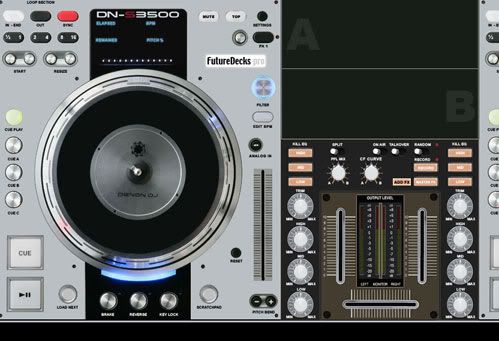
Software - FutureDecks Pro v2.0.4 (Win/Mac OSX)FutureDecks PRO - the professional version of the program for DJs. With this program you can mix music like a professional DJ. Mark bits, smooth loops, external controllers, MIDI support, and VST effects, precise automatic meter BPM, program preparation of samples and many other functions. You get a classic DJ panel, professional mixer and playlists. With the exact tempo analyzer (BPM Counter), the program provides a seamless pasting and mixing loops. The latest version adds the possibility of mixing video and many other features.
Features:
- Automatic and manual mixing
- Marking the bits in one click
- Smooth and intellectual preparation cycles
- Very accurate BPM counter
- Support for ASIO / CoreAudio
- Support for VST and AU effects
- Classic equalizers, filters, and player
- Vinyl simulation
- Separate output for headphones
- The external hardware controllers and MIDI support
- Viewing system with unlimited lists, disk guide and database
- Record your mixes
- And many other possibilities
FutureDecks Pro - the professional DJ mixing software. With FutureDecks Pro you can really mix your songs, nothing else needed but your imagination. Beat-matching is just a click away and also are seamless beat-aware loops,effects and many other things. All these thanks to a brand new audio engine.
Features:
- Classic DJ setup with 2 decks, pro mixer and playlists
- Fully manual or automatic mixing (one-click beat-matching)
- Video mixing (including pitch, break, reverse, scratch on video)
- Seamless intelligent looping and "skipbeat"
- Automatic BPM detection (grid like) with batch-mode function
- Vinyl simulation including scratch, pitch, reverse play, brake
- Separate headphones output and song pre-listening
- Support for VST effects and AudioUnits, eqs, filters
- Analog input for microphone / turntables / CD-players, Talk-Over
- Controllers supported natively (zero-configure):
- Behringer BCD2000/BCD3000, Hercules controllers
- Additional MIDI IN with LEARN - assign knobs / switches to fx parameters
- Advanced support for external mixers
- Perceptual automatic gain
- Sample player (sampler)
- Record your mixes to WAV or AIFF
- KeyLock (MasterTempo) with on / off selector, gradual pitch bend
- ASIO / CoreAudio low-latency support
- Browsing system with unlimited lists, disk explorer and database
- Load the whole song in RAM memory for instant access
- Audio-cd support on Win / Mac (intelligent cd detection / loading)
- Can read mp3, m4a, wav, aiff, ogg, cda, mpeg and many more files
Operating system: Windows 2000/XP/Vista / 7.
Language: English
Size: 26.55 MB (Medicine in the archive)
Download Link :
Mirror
Sunday, February 14, 2010
di
4:35 PM
Diposkan oleh
Natha Lia
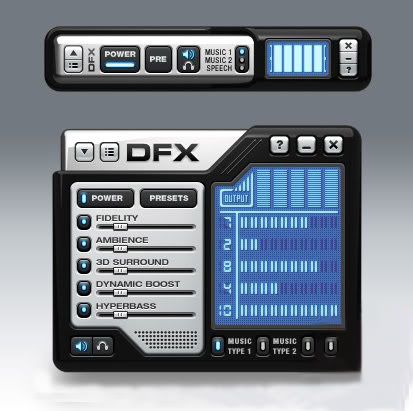
Software - DFX Audio Enhancer 9.211 Multilangual - Audio EnhancerPlug-in for better sound quality players Winamp (v2 and v5), Windows Media Player, Musicmatch, RealPlayer, J. River Media Center. The quality of their playing time could be greatly improved by improving the frequency characteristics, and why is this plugin. In the player adds an additional equalizer, due to what can be done more fine-tuning the sound.
With DFX eliminated two major disadvantages - a cut of high frequencies and the lack of stereo separation and depth. There is a good selection of pre-settings, that is preset. Simply it can be called as a fashionable advanced equalizer settings, which are not in the players.
DFX enhances play sound in the following areas ...
1. "Harmonic Fidelity Restoration" - compensation (interpolation method), high frequency cutoff in the encoding process for the sake of reducing the size of the file;
2. "Ambience Processing" - compensates for the depth of sound and implements the so-called "effect of the environment" while playing a musical composition;
3. "3D Surround Processing" - the function (which, of course, realizes the corresponding software component) on the nature of the modification playable tracks similar to the previous one, but it "focuses" it is to create pseudo-good audioquality even in two-column audio systems;
4. "Dynamic Gain Boosting" - compensation for "Trapped" play a sound, making it "dynamic" sostavlyayushey and intensification of sound, from the viewpoint of the leading file section 3DNews this function module DFX least affect the playback sound (the only thing that soothes that Dynamic Boost does not spoil the overall positive picture);
5. "HyperBass Boost" - from a functional point of view, this is opposite of Harmonic Fidelity Restoration, compensates for the lower frequencies and is responsible for adding to the currently playing track deep and rich bass;
6. "Headphones Output Optimization" - used if the user listens to music with headphones, the sound module modifies the way that the person creating the illusion that the sound source is not "sitting" directly in the ears, and is at the front, making the sound subjectively becomes more enjoyable, natural and less tense.
Simply turn on DFX and be amazed at the added clarity and punch that your audio player provides.
- 3D Surround Sound
- Immerse yourself inside the music
- Stereo Ambience
- Renew lost stereo depth
- Dynamic Gain Boosting
- Pump up the volume
- Headphones Optimization
- Hear more pleasant, natural sounds with headphones
- Customizable Music Presets
- Select finely-tuned settings for many styles of music Booming HyperBass
- Produce deeper, richer bass
- High Fidelity Restoration
- Eliminate that "muffled" sound
- Spectrum Analyzer
- "See" DFX enhance your sound
- Music and Speech Modes
- Get optimized sound for any type of audio
- Customizable Skins
- Choose from hundreds of amazing skins
New and improved features in DFX 9:
- Automatic preset selection with associated songs
- Backup and restore personal presets
- 10 band audio spectrum analyzer
- Improved responsiveness and user control
- Gadget style user interface option
- 64-bit Windows support
Learn more about DFX features:
- Advanced DSP Sound Enhancement Effects
- Speakers and Headphones Optimization
- Finely-tuned, Customizable Music Presets
- Dynamic Sound Spectrum Analyzer
- Powerful Audio Processing Modes
- Stylish, Shapely Skins
- Space Saving Mini-mode Interface
- Presets Backup and Restore
- Preset Song Associations
- 5.1/7.1 Surround Sound Support
- 64-Bit Windows Support
System Requirements:
- Winamp 2, 5 or higher, Windows Media Player 9 or higher
- Windows NT/2000/XP/Vista 32-bit or 64-bit operating system
- 300 MHz processor or faster
- 10 MB free hard disk space
- 64 MB RAM (128 MB recommended)
DFX for Windows Media Player v9.211
DFX for Windows Media Player x64 v9.211
DFX for WinAmp v9.211
DFX for Real Player v9.211
DFX for MusicMatch v9.211
DFX for Yahoo Music Jukeboxv9.211
DFX for Jriver Media Center v9.211
Download Link :
Mirror
Wednesday, February 10, 2010
di
4:26 PM
Diposkan oleh
Natha Lia
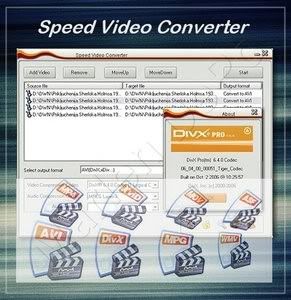
Software - Speed Video Converter v4.4.23Speed Video Converter is a small video conversion tool. Fast conversion speed and easy user interface are its distinct strongpoints. Speed Video Converter supports various video formats, such as AVI(Divx,xDiv), MPEG-4, mpeg(vcd,svcd,dvd compatible), wmv, asf, Quick Time, VOB, DAT. It supports Batch File Convertsion that can convert more than one files, just needs one click.
Features of "Speed Video Converter":
- Create DVD, VCD and SVCD (PAL,NTSC) compatible mpeg.
- Support Windows Media Format(wmv/asf).
- Support AVI(including the DivX format).
- Support Quick Time movie.
- Support Video DVD VOB format(needs dvd decoder).
- Support Video VCD DAT format.
- Convert file between all supported files
- Batch files conversion.
Download Link :
Monday, February 8, 2010
di
4:25 PM
Diposkan oleh
Natha Lia
Software - Quick Media Converter 4.0.0.8Quick Media Converter - a universal and fast converter, which supports huge number of media formats (from the most rasprostanennyh to the most exotic).
Main features of Quick Media Converter:
- Conversion of video from one format to another
- Resizing and cropping graphic images
- Conversion of audio from one format to another
- Extract and convert audio or video content from media files
- Preview (listen)
- Support batch files
- Two operating modes (simplified and expertise with the ability to set advanced settings coding)
- Capture video streams from the web or digital camera to avi or divx.
- Built-in module for the creation of training videos (recorded actions on the screen - you can with voice commentary - in avi or swf file).
What's new:
- Full HD AVC support
- Easy mode formats, now include direct access to expert mode and prefilling of the fields to put
- you on track according to your specific needs.
- Now supports QCELP audio codec
- Now supports KDDI codec
- Now support latest Youtube FLV AVC codec without giving the infamous resampling error.
- 3GP (AMR) coding has been removed due to license issues.
- New improved faster interface
- New improved installation process
- Many bugs have been solved and removed.
- Improved and embedded video player with possibility to extend its window or to go to full screen.
- Technical Information on files now are in a separate window and include your pc os and your current QMC version to allow copy and paste on the help forum when required.
- HD TS files are also supported.
- Full HD section added as in 3.8.0 Beta
- The version will aslo be available as fully portable, all previous beta versions will be discontinued as soon as this version will be released.
Year: 2009
OS: Windows 2000/XP/Vista/7
Language: Multilanguage / Russian No
Medicine: Not required (Freeware)
Site Program: cocoonsoftware.com
Size: 37.1 MB
Download Link :
Wednesday, February 3, 2010
di
7:07 PM
Diposkan oleh
Natha Lia
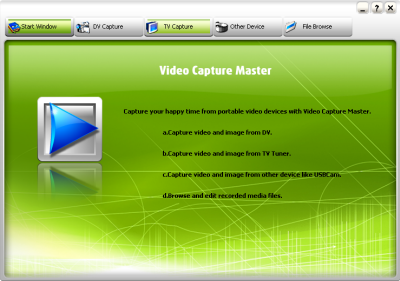
Software - Video Capture Master v7.1.0.210Video Capture Master is cutting edge video capture software, Use a webcam, TV Tuner card, digital video or digital camera to capture video in real time. Control you capture devices, change their properties and even preview recorded files from withinVideo Capture Master. Video Capture Master also supports watermarking, text overlays and can output to multiple codecs.
Here are some key features of "Video Capture Master":
- Record video and save it as AVI format
- Capture video or image from Video Input Sources with a USB Capture Device, DV camcorder and TV Tuner.
- Set multiple video and audio encoder settings
- Set properties of capture device
- Send video via email once the recording is completed
- Snapshot pictures with the hotkey
- Preview and record real-time video
- Watch TV if TV Tuner is installed
- Browse and edit recorded media files.
Download Link :
Mirror
Sunday, January 31, 2010
di
6:30 PM
Diposkan oleh
Natha Lia
Software - Audacity v1.2.6 PortableAudacity is a free, easy-to-use and multilingual audio editor and recorder for Windows, Mac OS X, GNU/Linux and other operating systems. You can use Audacity to:
- Record live audio.
- Convert tapes and records into digital recordings or CDs.
- Edit Ogg Vorbis, MP3, WAV or AIFF sound files.
- Cut, copy, splice or mix sounds together.
- Change the speed or pitch of a recording.
- And more!
Features
This is a list of features in Audacity, the free audio editor. For more information on how to use these features, go to the help pages.
Recording
Audacity can record live audio through a microphone or mixer, or digitize recordings from cassette tapes, vinyl records, or minidiscs. With some sound cards, it can also capture streaming audio.
- Record from microphone, line input, or other sources.
- Dub over existing tracks to create multi-track recordings.
- Record up to 16 channels at once (requires multi-channel hardware).
- Level meters can monitor volume levels before, during, and after recording.
Import and Export
Import sound files, edit them, and combine them with other files or new recordings. Export your recordings in several common file formats.
- Import and export WAV, AIFF, AU, and Ogg Vorbis files.
- Import MPEG audio (including MP2 and MP3 files) with libmad.
- Export MP3s with the optional LAME encoder library.
- Create WAV or AIFF files suitable for burning to CD.
- Import and export all file formats supported by libsndfile.
- Open raw (headerless) audio files using the “Import Raw” command.
- Note: Audacity does not currently support WMA, AAC, or most other proprietary or restricted file formats.
Editing
- Easy editing with Cut, Copy, Paste, and Delete.
- Use unlimited Undo (and Redo) to go back any number of steps.
- Very fast editing of large files.
- Edit and mix an unlimited number of tracks.
- Use the Drawing tool to alter individual sample points.
- Fade the volume up or down smoothly with the Envelope tool.
Effects
- Change the pitch without altering the tempo, or vice-versa.
- Remove static, hiss, hum, or other constant background noises.
- Alter frequencies with Equalization, FFT Filter, and Bass Boost effects.
- Adjust volumes with Compressor, Amplify, and Normalize effects.
- Other built-in effects include:
1. Echo
2. Phaser
3. Wahwah
4. Reverse
Sound Quality
- Record and edit 16-bit, 24-bit, and 32-bit (floating point) samples.
- Record at up to 96 kHz.
- Sample rates and formats are converted using high-quality resampling and dithering.
- Mix tracks with different sample rates or formats, and Audacity will convert them automatically in realtime.
Plug-Ins
- Add new effects with LADSPA plug-ins.
- Audacity includes some sample plug-ins by Steve Harris.
- Load VST plug-ins for Windows and Mac, with the optional VST Enabler.
- Write new effects with the built-in Nyquist programming language.
Analysis
- Spectrogram mode for visualizing frequencies.
- “Plot Spectrum” command for detailed frequency analysis.
Free and Cross-Platform
- Licensed under the GNU General Public License (GPL).
- Runs on Mac OS X, Windows, and GNU/Linux.
Changes in Audacity 1.2.6
- Fixed memory leaks on Windows.
- Corrected font size problems.
- Enabled missing FLAC support.
- Fixed Mac OS X (PPC only) screen redraw issues.
Home Page - http://audacity.sourceforge.net/
Download Link :
Mirror